
Accordion Component
The Accordion component is a reusable collapsible content component designed for FAQs, feature breakdowns, documentation pages, and content toggles.
Component Location
Import the component using:
import Accordion from "@/components/ui/accordion";Preview
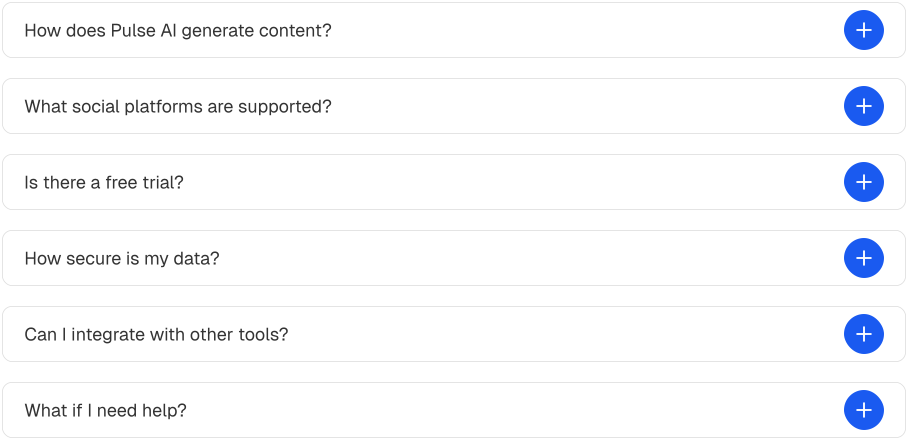
Features
- Smooth expand and collapse animations
- Built with Motion
- Single-open mode
- Multiple-open mode
- Dynamic content support
- Reusable item structure
- Mobile friendly
Basic Usage
<Accordion
  items={[
    {
      id: "1",
      title: "What is Pulse AI?",
      content:
          "Pulse AI is a premium Next.js SaaS template".
    },
  ]}
/>
Accordion Item Structure
Each accordion item must follow this structure:
//content/marketing/faq.ts

{
  id: "faq-1",
  title: "What is Pulse AI?",
  content:
      "Pulse AI is a premium Next.js SaaS template".
}
Multiple Items
<Accordion
  items={[
    {
      id: "1",
      title: "What is Pulse AI?",
      content:
          "Pulse AI is a premium Next.js SaaS template."
    },
    {
      id: "2",
      title: "Does it support TypeScript?",
      content:
          "Yes. Pulse AI is built with TypeScript."
    },
    {
      id: "3",
      title: "Is Tailwind CSS included?",
      content:
          "Yes. Tailwind CSS is fully configured."
    },
  ]}
/>
Single Open Mode
By default, multiple accordion items can remain open.
To allow only one open item at a time:
<Accordion
  allowMultiple={false}
  items={faqItems}
/>
Multiple Open Mode
Allow users to open several items simultaneously.
<Accordion
  allowMultiple
  items={faqItems}
/>
Using External Data
You can define accordion content in a separate file.
//content/marketing/faq.ts
export const faqItems = [
  {
    id: "1",
    title: "What is Pulse AI?",
    content:
        Pulse AI is a premium Next.js SaaS template.
  },
];
Then pass it into the component:
import Accordion from "@/components/ui/accordion";
import { faqItems } from "@/content/faq";

<Accordion items={faqItems} />
Content Support
The content property accepts any React node.
Paragraph
content:
    "This is accordion content."
Lists
content: (
  <ul>
    <li>Next.js</li>
    <li>TypeScript</li>
    <li>Tailwind CSS</li>
  </ul>
)
Available Props
interface AccordionProps {
  items: AccordionItem[];
  allowMultiple?: boolean;
  className?: string;
}
Accordion Item Type
type AccordionItem = {
  id: string;
  title: string;
  content: React.ReactNode;
};
Props
items
Required array of accordion items.
<Accordion items={faqItems} />allowMultiple
Controls whether multiple items can be open simultaneously.
<Accordion
  allowMultiple={false}
  items={faqItems}
/>
className
Apply custom styling.
<Accordion
  className="max-w-3xl"
  items={faqItems}
/>
Common Use Cases
FAQ Section
<Accordion items={faqItems} />Documentation Pages
<Accordion items={documentationSections} />Feature Breakdown
<Accordion items={featureItems} />Pricing Questions
<Accordion items={pricingFaqs} />Summary
The Accordion component is a flexible solution for displaying collapsible content.
Use it for:
- FAQs
- Documentation
- Help Centers
- Knowledge Bases
- Feature Explanations
- Pricing Questions