
Footer Component
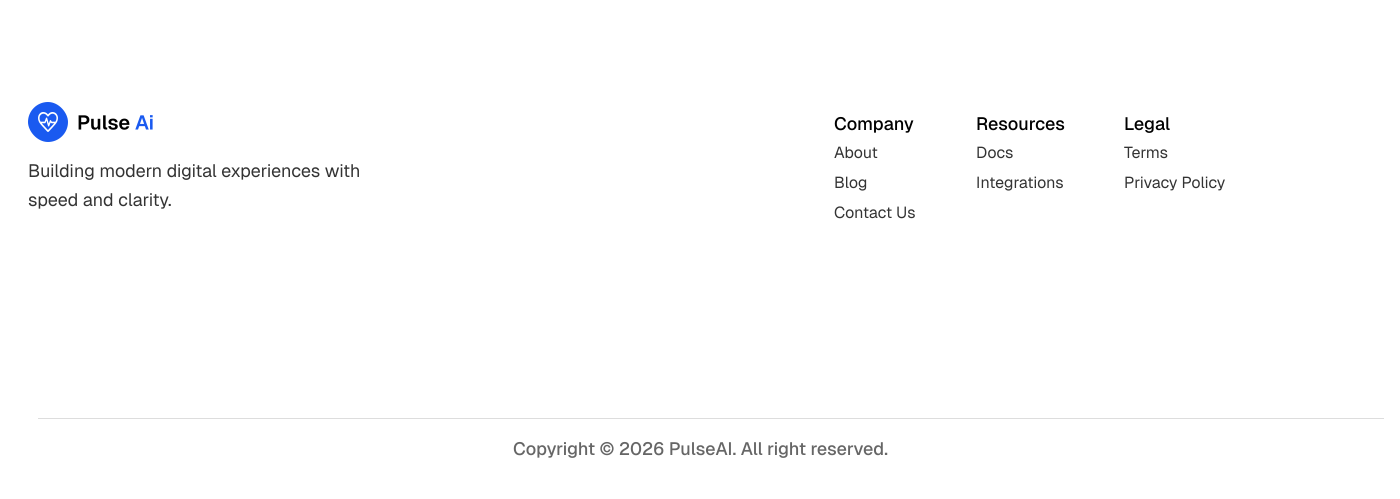
The Footer component provides the bottom section of your website and includes brand information, navigation links, social media links, and copyright information.
The component is fully responsive and automatically adapts from mobile to desktop layouts.
Import the component using:
import Footer from "@/components/layout/footer";Preview
Basic Usage
Add the Footer component near the bottom of your layout.
import Navbar from "@/components/layout/navbar";
import Footer from "@/components/layout/footer";

export default function RootLayout({
  children,
}: {
  children: React.ReactNode;
}) {
  return (
    <>
      <Navbar />
      {children}
      <Footer />
    </>
  );
}
Features
The Footer includes:
- Brand information
- Logo integration
- Social media links
- Organized navigation sections
- Dynamic copyright year
- Mobile-friendly layout
- Content-driven configuration
Footer Configuration
All footer content is managed from a single content file.
Location
content/
└── shared/
    └── footer.ts
The component automatically reads from:
FOOTER_CONTENTThis allows you to update footer content without modifying the component itself.
Footer Description
The footer description appears below the logo.
Example:
export const FOOTER_CONTENT = {
  description:
    "Build modern SaaS websites faster with Pulse AI.",
};
This text is commonly used to describe your company, product, or mission.
Social Media Links
Social links are configured using the social array.
Example:
social: [
  {
    label: "Twitter",
    href: "https://twitter.com",
  },
  {
    label: "LinkedIn",
    href: "https://linkedin.com",
  },
  {
    label: "GitHub",
    href: "https://github.com",
  },
];
The footer automatically renders the appropriate social media icons.
Supported Social Platforms
The available platforms depend on the SocialIcon component configuration.
Common examples include:
- Twitter / X
- GitHub
- YouTube
- Discord
Footer Navigation Links
Navigation sections are generated automatically from the links object.
Example:
links: {
  product: [
    {
      label: "Features",
      href: "/features",
    },
    {
      label: "Pricing",
      href: "/pricing",
    },
  ],

  company: [
    {
      label: "About",
      href: "/about",
    },
    {
      label: "Contact",
      href: "/contact",
    },
  ],

  resources: [
    {
      label: "Blog",
      href: "/blog",
    },
    {
      label: "Documentation",
      href: "/docs",
    },
  ],
}
Result
The footer automatically creates:
- Product
- Company
- Resources
link sections without additional configuration.
Logo Integration
The Footer uses the shared Logo component.
<Logo />Logo Location
components/
└── layout/
    └── logo.tsx
To update your branding, edit:
content/shared/brand.tsChanges to your logo or brand name automatically update everywhere the Logo component is used.
Copyright Section
The footer automatically displays the current year.
Example output:
© 2026 PulseAI All rights reserved.The year updates automatically using:
new Date().getFullYear()No manual updates are required.
Responsive Layout
The Footer is fully responsive.
Mobile Layout
- Single-column brand section
- Stacked navigation sections
- Optimized spacing
Desktop Layout
- 12-column grid layout
- Brand section on the left
- Navigation sections on the right
- Improved spacing for larger screens
No additional configuration is required.
Common Customizations
Change Footer Width
Locate:
max-w-7xlExample:
max-w-6xlor
max-w-screen-xlChange Footer Padding
Locate:
py-14Example:
py-20Change Footer Background
Locate:
bg-backgroundExample:
bg-mutedor
bg-primary/5Change Footer Border
Locate:
border-t border-foreground/10Example:
border-t border-primary/20Related coponents
components/layout/logo.tsx
components/ui/social_Icons.tsx

content/shared/footer.ts
content/shared/brand.ts
Dependencies
The Footer component uses:
- Next.js Link
- Next.js Image
- Logo Component
- SocialIcon Component
- FOOTER_CONTENT Configuration
- BRAND Configuration
No additional setup is required.
Summary
The Footer component is fully responsive, content-driven, and easy to customize.
Most footer updates can be made by editing:
content/shared/footer.tswhile logo and brand information can be managed from:
content/shared/brand.tswithout modifying the Footer component itself.